
A few weeks ago I vibe coded a Wizardry-style dungeon crawler, and I wanted Claude Code to actually play the thing, a full automated playthrough, gate by gate, catching progression bugs while I did literally anything else. Overnight, ideally. Eight hours of free QA while I slept.
My one problem is the fucking usage cap from Claude.
A rolling 5-hour window. When you burn through it, the session stops dead and tells you something like “You’ve hit your session limit, resets 11pm.” And then it just sits there. Until you come back, see the message, and poke it to keep going.
Which is fine if you’re at the keyboard. It is useless for an overnight run. The whole point of unattended QA is that nobody is attended. A tool that stops every five hours and waits for a human is not autonomous.
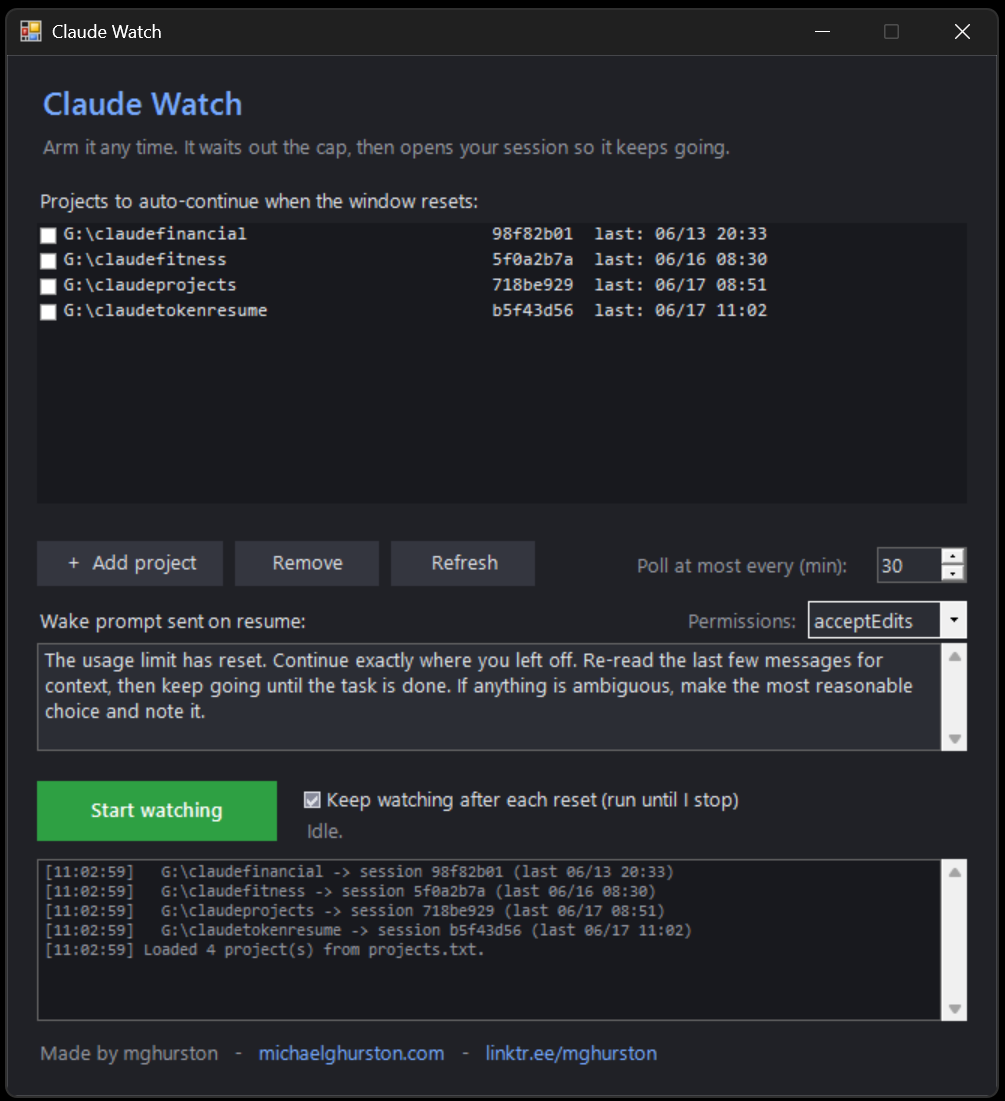
So I built a small Windows utility to wait out the cap and kick the session back to life the moment the window resets. I called it Claude Watch. It’s about as unsexy as software gets, a single PowerShell file, a WinForms window, no dependencies, and it taught me more about how Claude Code actually behaves than anything else I’ve built around it.
Anthropic returns the rate-limit data in the response headers. The same numbers behind the Usage panel in the Claude app. So Claude Watch makes one tiny POST /v1/messages call (max_tokens: 1) with the OAuth token Claude Code already has on disk, and reads:
- anthropic-ratelimit-unified-5h-status, which is either allowed or capped
- anthropic-ratelimit-unified-5h-reset, the exact reset time in unix seconds
While you’re capped, that call comes back HTTP 429 and COSTS NOTHING! The reset header is still there. So the tool learns precisely when to resume without spending a token to find out. No text parsing, no guessing, no polling the model and burning quota. It just reads the clock Anthropic is already handing you.
The cap is account-wide, so one check covers every project you’re watching. Check once, cover everything.
So now each resume opens its own visible terminal running claude –resume with a wake-up prompt, in interactive mode. You can customize so it picks up exactly where it left off. A fully automomous overnight agent.
Claude Watch is on GitHub.
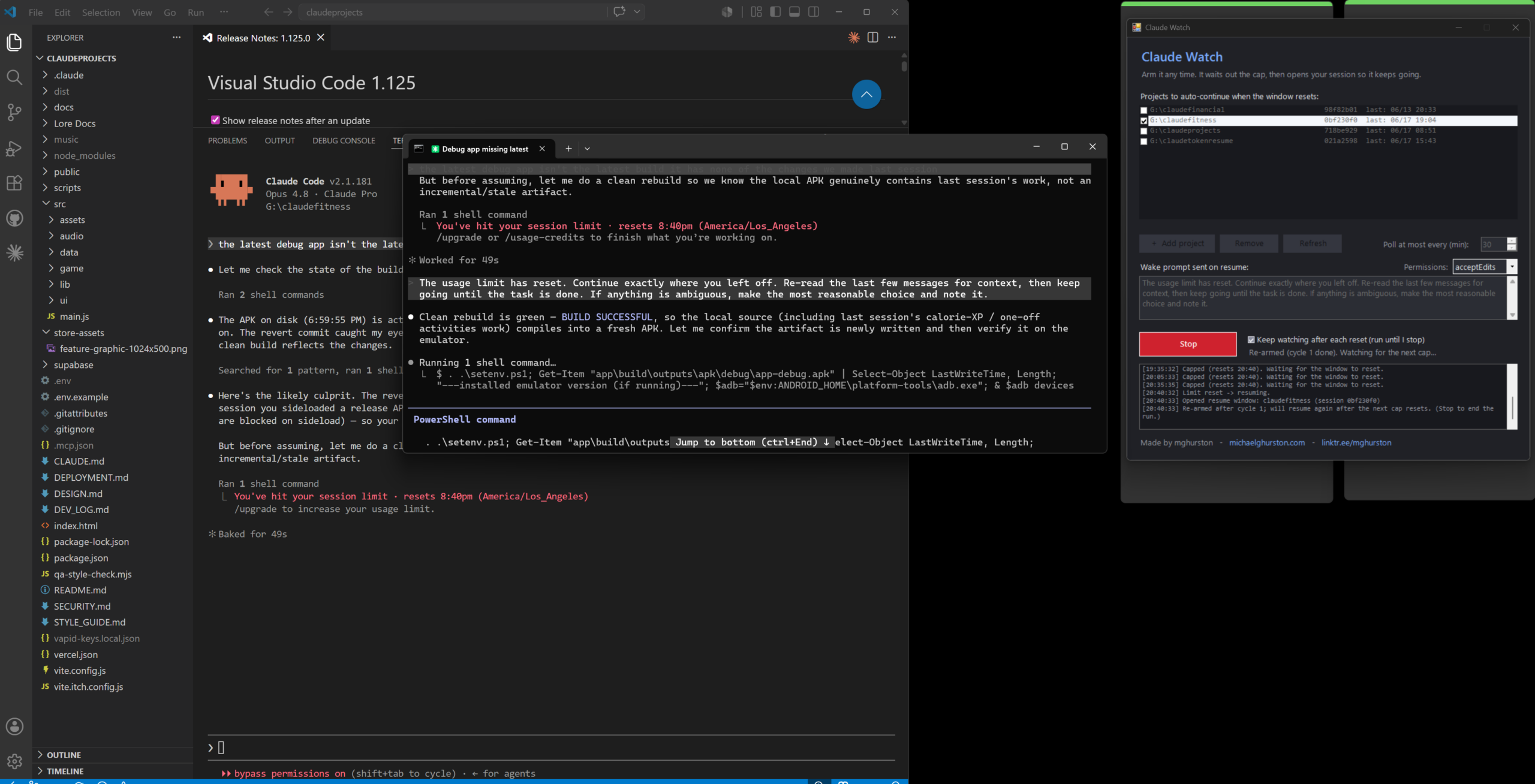
Screenshot below is from my personal fitness app – lol yes because I want my own.
Pingback: Everything you need to build your own anime fitness app | Michael G. Hurston