
Every week I see another AI announcement promising to revolutionize marketing, a new tool that writes your subject lines, generates your hero images, personalizes your copy at scale. And sure, that’s interesting. But in enterprise email production, content isn’t where the time goes.
Content gets replicated. It follows brand guidelines. There are templates, component libraries, approved copy frameworks. A skilled producer can stand up email content in minutes, not hours. The solution to improve email production efficiency is not faster creative iterations.
The real time sink that nobody talks about, the one that doesn’t make it into product demos or keynote slides, is your campaign’s workflow. the multistep program that took your production team one to two hours to build then another to QA.
The Part Nobody Shows You
Consider a Send Time Optimization (STO) campaign. On the surface it sounds simple: send each member an email at the time they’re most likely to engage. But the workflow required to actually execute that in Adobe Campaign Classic v8 looks nothing like a simple batch send.
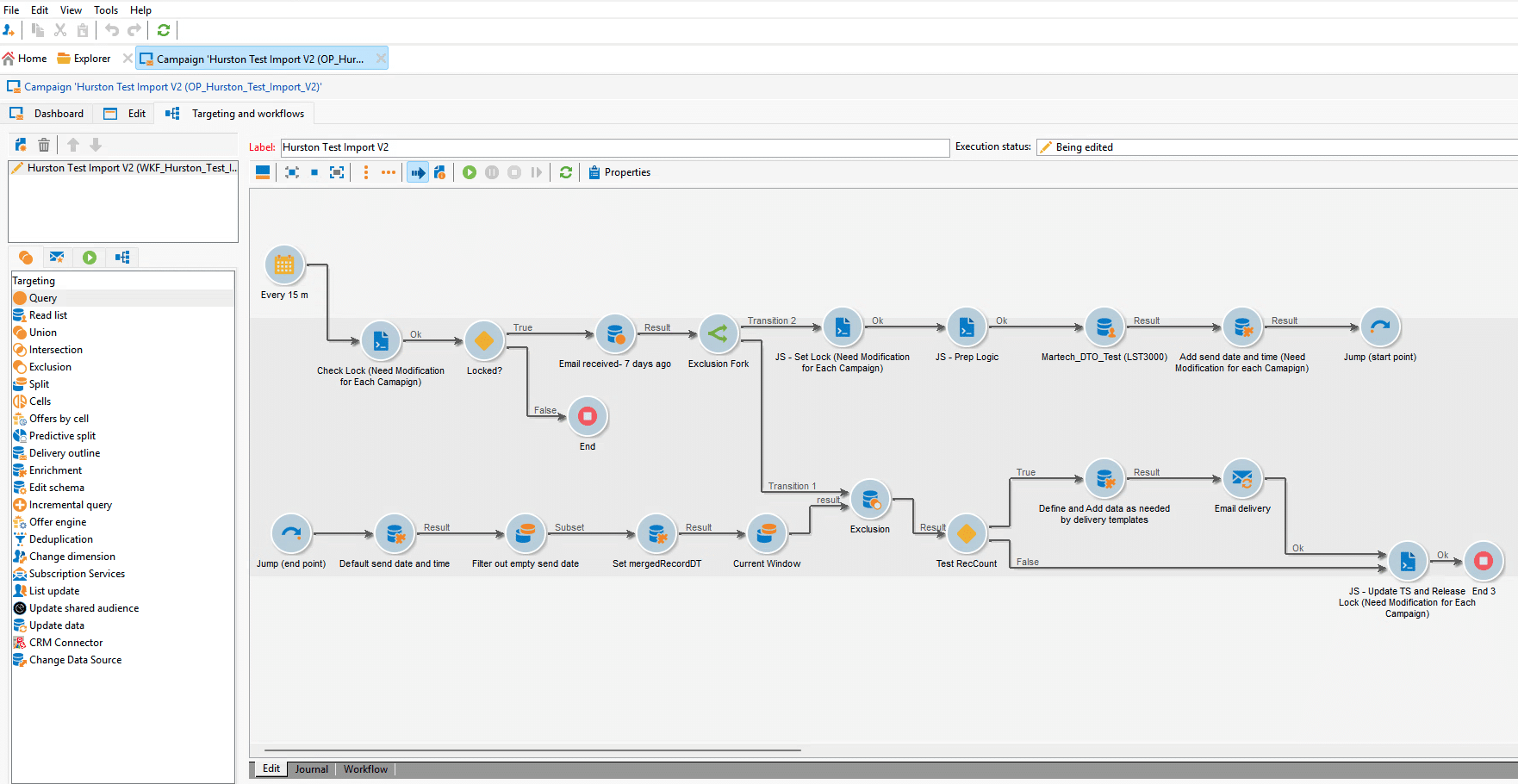
You need a 15-minute recurring scheduler so the workflow can check continuously throughout the day. You need a lock/unlock mechanism (implemented as a custom platform option) to prevent the workflow from firing twice if a delivery runs long. You need a timestamp option to track the last processed window so you don’t re-send to members already targeted in the current run. You need a Read List activity with a schema extension mapping every column in your audience file. You need enrichment activities pulling send date, send time, and regional defaults. You need a second enrichment applying personalization fields: first name with a coalesce fallback, language, segment code, and content assignment. You need a broadlog exclusion query to suppress anyone who received a campaign email in the last X days. And you need all of this wired together in the right order, with the right transitions, referencing the right internal names consistently across the operation, workflow, and delivery nodes.
Manually, start to finish, this takes an experienced producer one to two hours. And that’s if nothing goes wrong.
The Approach: Export, Reverse, Parameterize
Adobe Campaign supports XML package exports. You can export a workflow, its linked delivery template, and its platform options as a single importable file. The catch is that these packages are highly specific internal names, column references, list identifiers, tracking values, and option names are all hardcoded to the campaign they came from.
The insight was straightforward: if you can export a complete, working STO workflow as XML, and you understand exactly which values need to change per campaign, you can generate that XML programmatically.
So that’s what I did.
The starting point was a real test STO campaign I had already built and validated in ACC. Once it was working end to end, I exported it as an XML package.
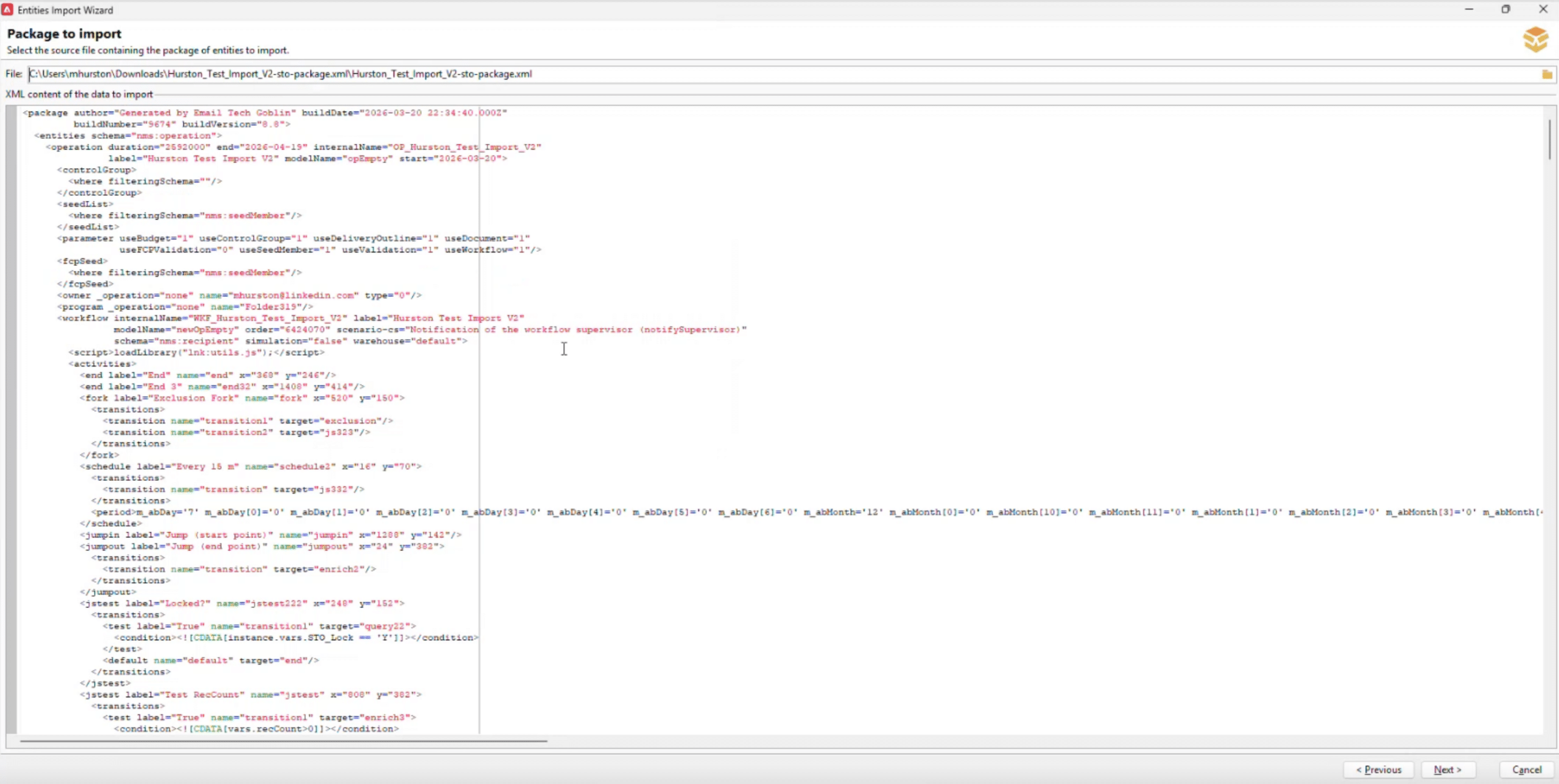
Package exports in ACC live under Administration > Configuration > Package Export. You define the export by schema. I selected three: nms:operation, which captures the campaign and its embedded workflow and delivery template; xtk:workflow, which exports the standalone workflow definition; and xtk:option, which exports the custom platform options the lock mechanism depends on. Those three schemas together produce a single XML file that, when imported into any ACC instance, recreates the entire campaign infrastructure from scratch.
The resulting file for the test campaign was just over 1,200 lines. I opened it and walked every node. The workflow contained 20 activity nodes total: a 15-minute scheduler, three JavaScript nodes for checking, setting, and releasing the lock and updating the timestamp, a broadlog exclusion query, a fork, a jump pair, a Read List activity with a 46-column schema extension mapping every field in the audience file, four enrichment activities, two split and filter activities, an exclusion node, a test node, a recurring delivery, and two end nodes. Each one had internal names, transition targets, and attribute values that had to be traced and understood before any of it could be parameterized.
From that mapping, I identified every value that is campaign-specific and needs to be a user input: the campaign slug (which drives the internal names for the operation, workflow, delivery, and both options), the Marketing Campaign ID and tracking parameters on the delivery, the audience list label and internal name, the column positions for STO timing data and personalization fields, the content and subject line assignments, the segment code, the Personalization Block names, the suppression window in the broadlog query, including the lock/unlock JavaScript logic, the enrichment expressions, the window-filtering extracts, and the delivery scheduling configuration. Everything else, is structural and constant across campaigns.
What I Built
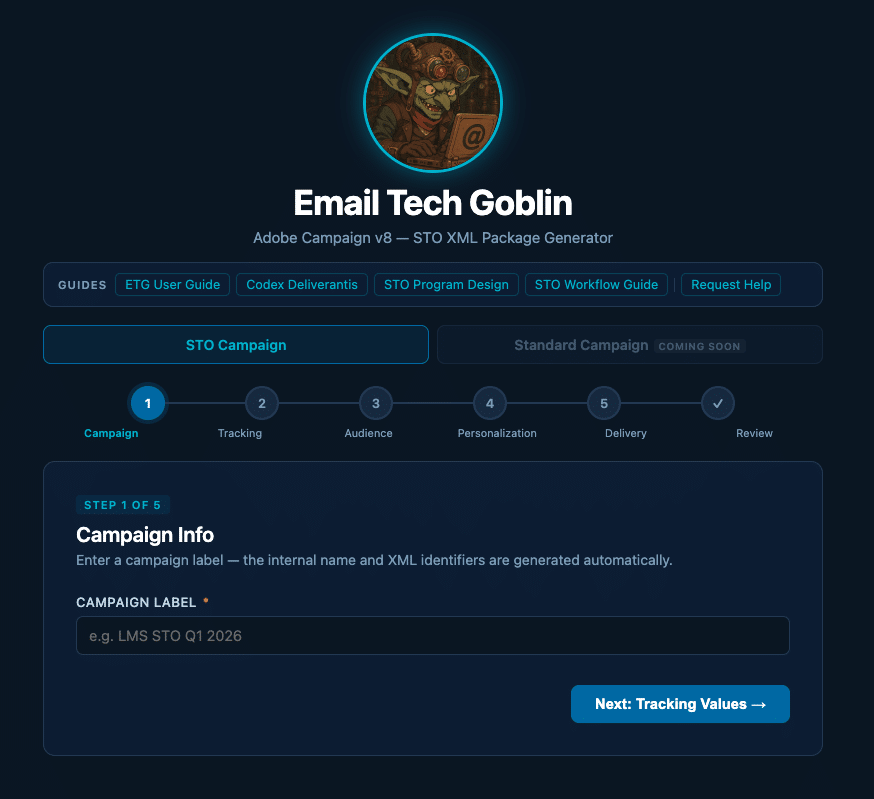
The result is a single self-contained application called Email Tech Goblin. No server, no dependencies, no install. You open it in a browser, fill out a five-step form, and it generates a complete importable ACC XML package.
The form walks you through campaign info, tracking values, audience list configuration, personalization field mappings, and delivery settings. It auto-generates the internal names for the operation, workflow, and delivery from the campaign label. It builds the column mapping schema for the Read List activity. It wires all enrichment expressions to the correct column positions. It generates the JavaScript for the lock, unlock, and timestamp update nodes, each with the correct option names for that specific campaign. It writes the delivery template including the HTML body with PSN block includes, sender configuration, and tracking settings.
The download is a .xml file that imports cleanly into ACC via Administration → Configuration → Package Import.
Where Claude Came In
I built the entire tool in conversation with Claude. Once I had the node map and the list of per-campaign variables from the XML analysis, I worked with Claude to write the JavaScript that generates the XML output. That sounds straightforward, but the XML structure for an ACC package is deeply nested and unforgiving: internal names have to match exactly across the operation, workflow, delivery, and option entities; enrichment expressions have to reference the correct column aliases; the schema extension for the Read List activity has to be built dynamically based on column count. Getting all of that right from a form submission required careful, iterative work.
Claude also built the form interface itself: the five-step wizard, the validation logic, the auto-slug generation from the campaign label, the live summary on the review screen, and the client-side file download. The entire thing ships as a single browser based application file with no external dependencies, which was a deliberate design choice so that any team member can run it on any system without any setup.
What made this work was being able to treat Claude as a technical collaborator who could hold the full context of a 1,200-line XML file, understand the ACC data model, and translate that into parameterized generation logic. That is a very different use case than generating subject lines.
Why This Matters
A workflow that took one to two hours to build manually now takes about five minutes to configure and generate.
The same approach extends beyond STO Campaigns. Standard batch campaigns, multitouch programs, A/B test workflows: any pattern that repeats across campaigns is a candidate for this kind of tooling.
The point isn’t that AI wrote the emails. The point is that the infrastructure needed to send them at scale, reliably, in an enterprise marketing platform, is exactly the kind of complex, repetitive, error-prone work that tooling like this should be eliminating.
That’s where the time actually goes. That’s where we should be building.