
For the past six months, teams at LinkedIn have been using Email Tech Goblin to create emails. The platform now has nearly 300 users.
Back in March, I wrote about using Claude to automate Adobe Campaign workflows. The problem was straightforward: stop rebuilding the same campaign infrastructure by hand. Export a working workflow, identify what changes between campaigns, and generate the package.
That was the starting point. Over roughly ten months of development, I’ve built ETG into an email production platform: modular email authoring, campaign building, QA, collaboration, approvals, reporting, and the administration behind all of it.
I’ve led that work by connecting the production requirements to the engineering. What does the person building the email actually need? What does Adobe Campaign expect? And how do I keep improving the application while people are using it to get their work done?
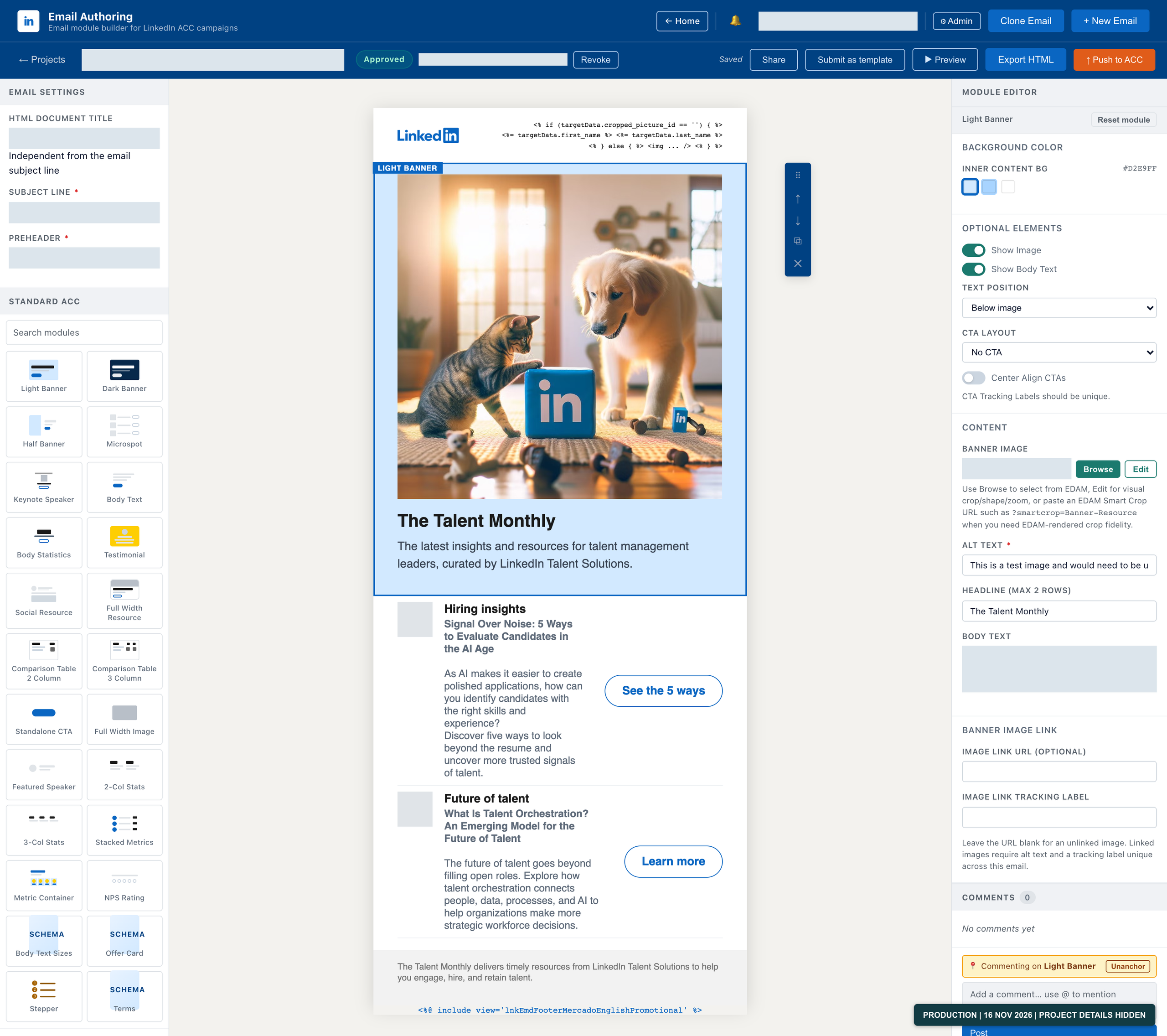
Example email in the authoring editor, with its module library, canvas, and editing controls. Personal details and project metadata are hidden.
Email Authoring Is the Center of It
The campaign generator solved a specific problem. Email Authoring addresses a much larger part of the production process: building the email itself.
Authors assemble emails from a governed module library, add their content, work through revisions, and route the email for review and approval. The editor brings together the header, footer, banners, resource cards, and other reusable components that make up the email.
A header isn’t just an image at the top of a canvas. A footer isn’t a text box someone should have to recreate. These are shared production components, with brand requirements and Adobe Campaign personalization behind them. Authors need control over their content without having to reconstruct the underlying email HTML every time.
The browser editor is only one part of the implementation. The exported HTML matters just as much. Module settings, links, personalization, and layout need to survive the trip from the editor into the email that moves through production.
The goal is to make the repeatable structure reliable so producers can concentrate on the email they’re building.
The Process Doesn’t Stop at the HTML Editor
ETG’s campaign builders generate Adobe Campaign workflow packages from structured inputs. The QA tools inspect campaign workflow XML. Adobe Campaign integrations connect the platform to the system where those campaigns run.
These are related jobs. The content, the workflow that delivers it, and the checks before it moves forward all belong to the same production process. Bringing them into one platform gives us a place to improve that process rather than treating every step as an unrelated utility.
Adobe Campaign remains the delivery platform. ETG is the production tooling around it. I’m not rebuilding an ESP; I’m addressing the work our teams need to do with one.
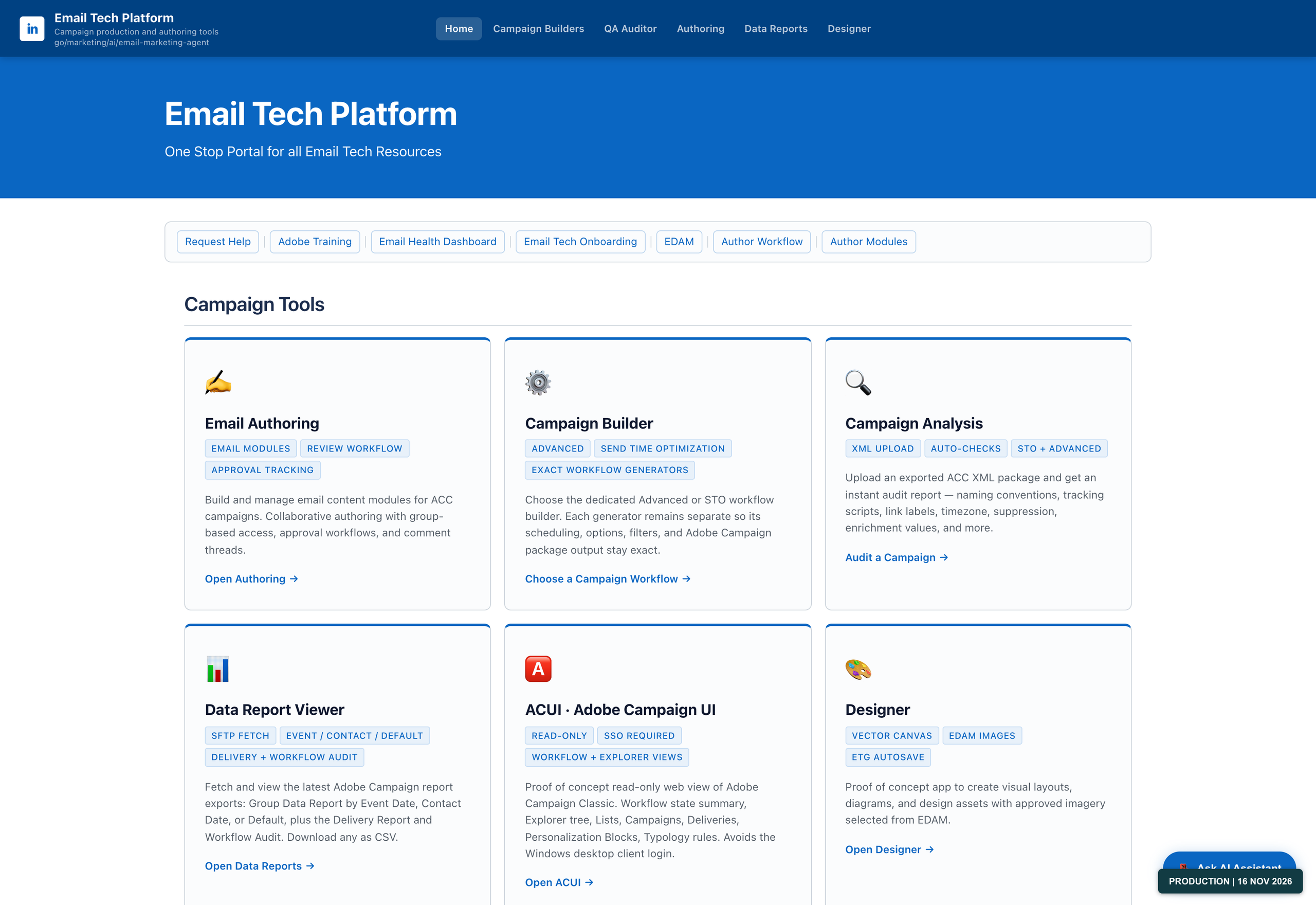
The homepage brings email authoring, campaign building, campaign analysis, reporting, and design tools into one portal.
The Admin Work Is Product Work
Once people are creating and sharing emails in an application, permissions aren’t a secondary concern.
Who can edit a project? Who can approve it? Which module library should someone have access to? Who needs reporting without editing permissions?
Those distinctions are built into ETG’s user and role management. The same applies to approval routing: notifying someone that an email needs review is not the same thing as granting them permission to approve it.
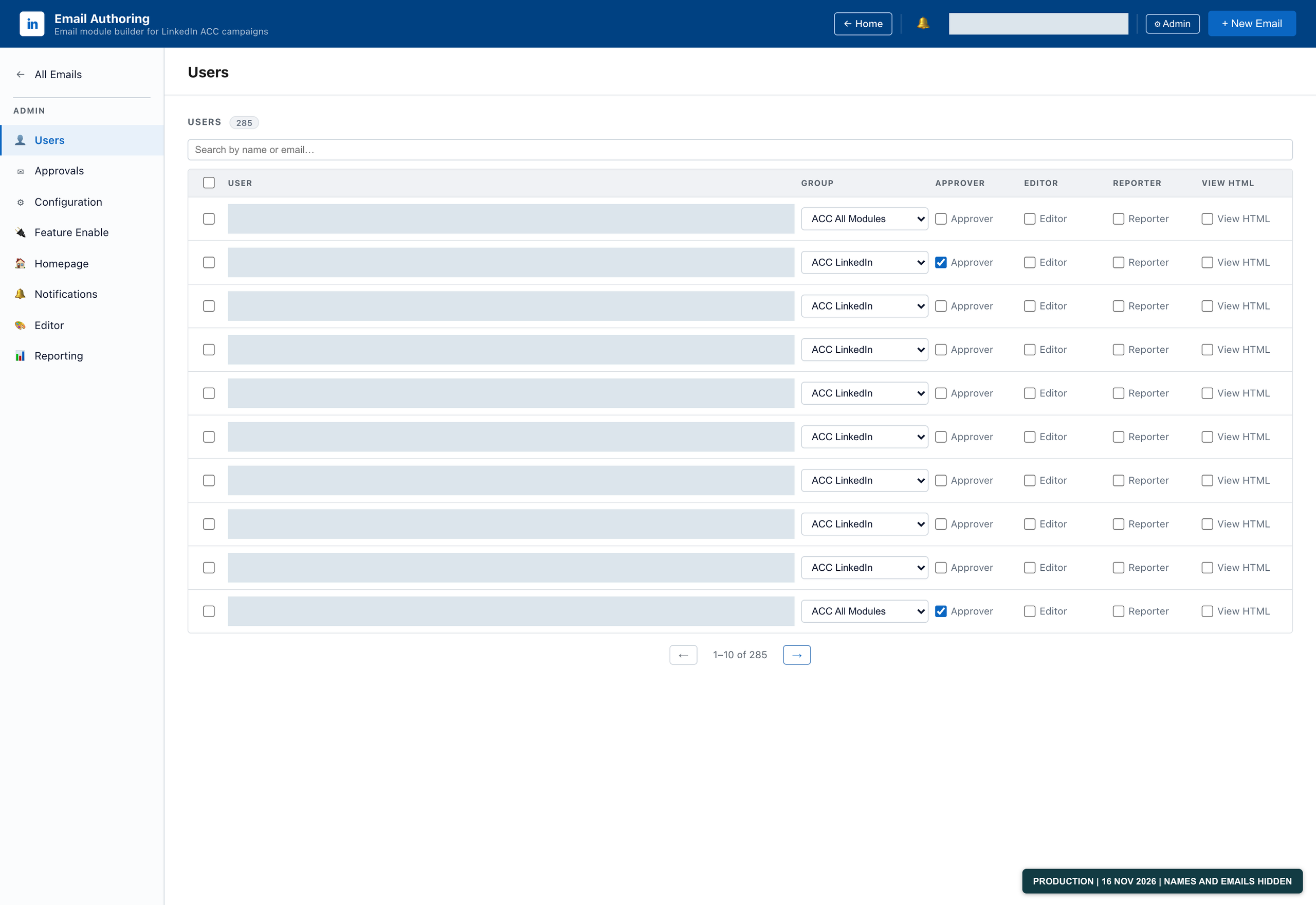
User management: 285 users as of November 16, 2026. Names and emails are hidden; the count and permission settings are unchanged.
I’ve also built shared configuration, environment routing, and reporting into the platform. Administrators can manage those settings centrally.
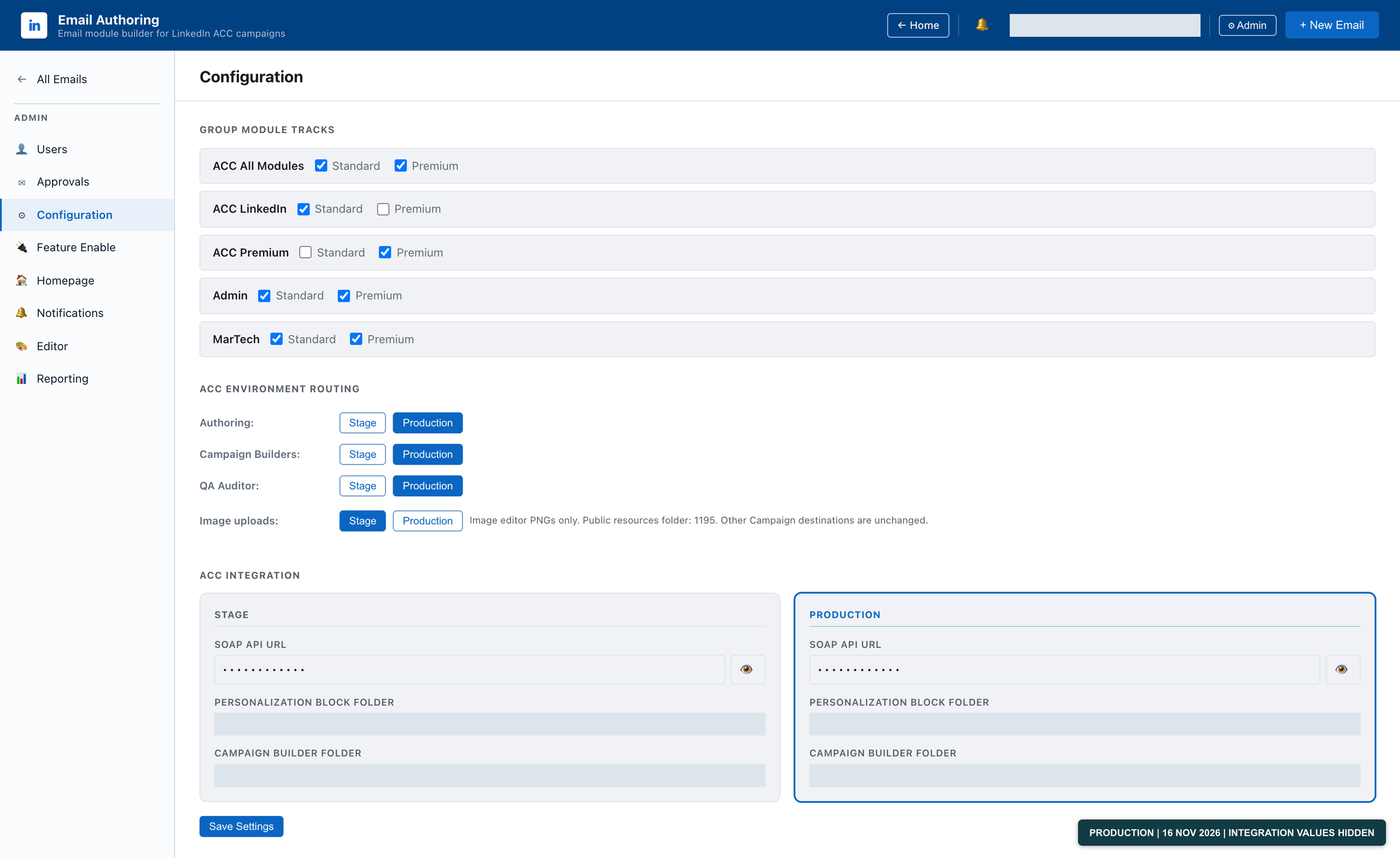
Module-library configuration and Adobe Campaign environment routing. Integration fields are masked; the actual routing selections are preserved.
Reporting provides visibility into users, email status, activity, and module usage, with date filters and CSV exports.
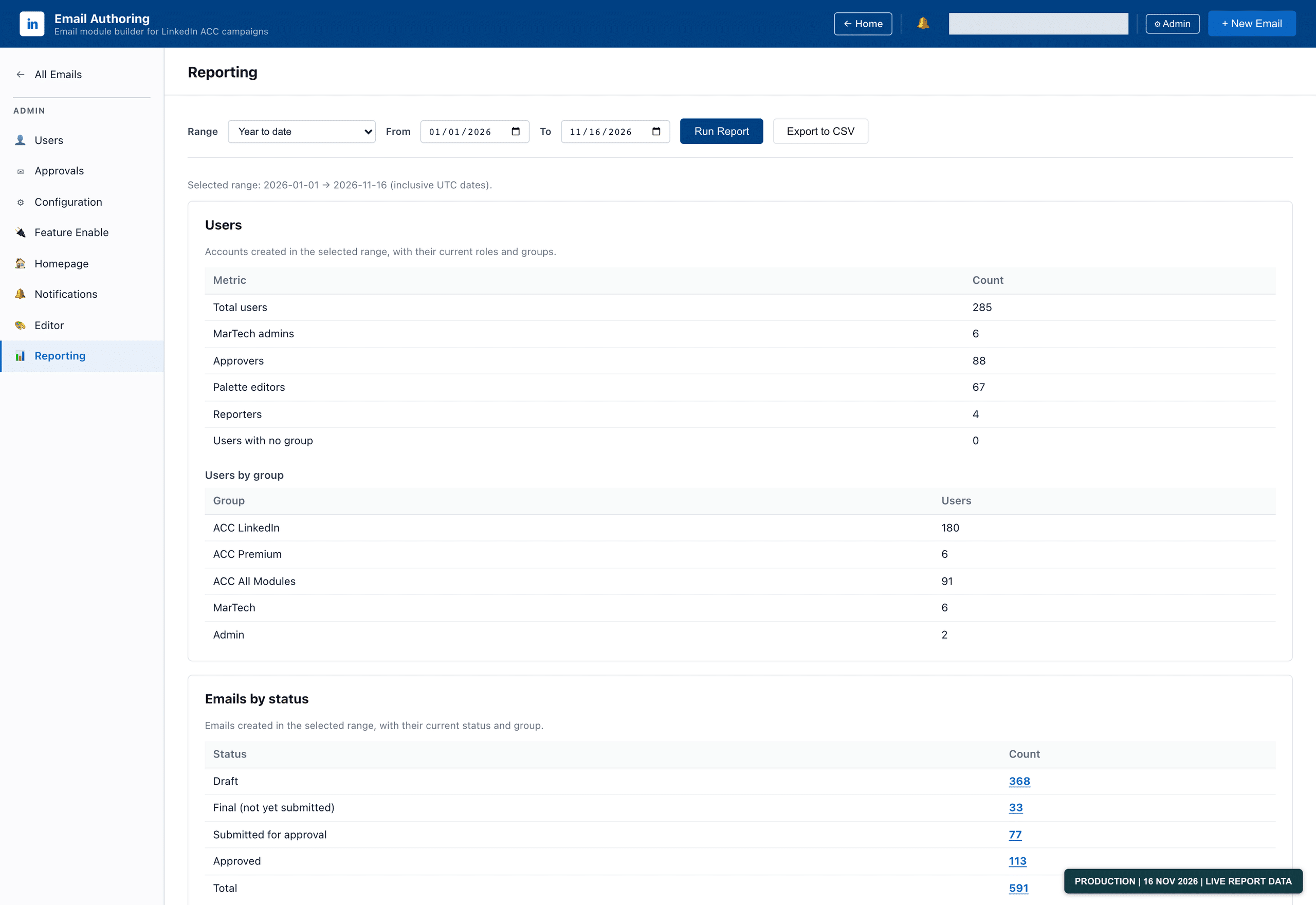
Live reporting for January 1-November 16, 2026, with date filters and CSV export controls. These are the actual figures for the selected range.
Running the Platform on Kubernetes
ETG is a Python/Flask application with a JavaScript frontend and database-backed state. I deploy to staging before production and use Kubernetes rolling deployments.
That release process matters when people are already working in the application. During a rolling update, different versions can briefly run at the same time. Changes to saved data, shared settings, and application behavior have to account for that.
I also separate deploying selected features from enabling them.
Their code can be deployed while the features remain gated. After deployment, I can enable them through Admin > Feature Enable, without another deployment just to turn them on.
Those are application-level controls. Kubernetes handles the rolling deployment; the app’s administrative controls handle feature availability. They solve different parts of the release process.
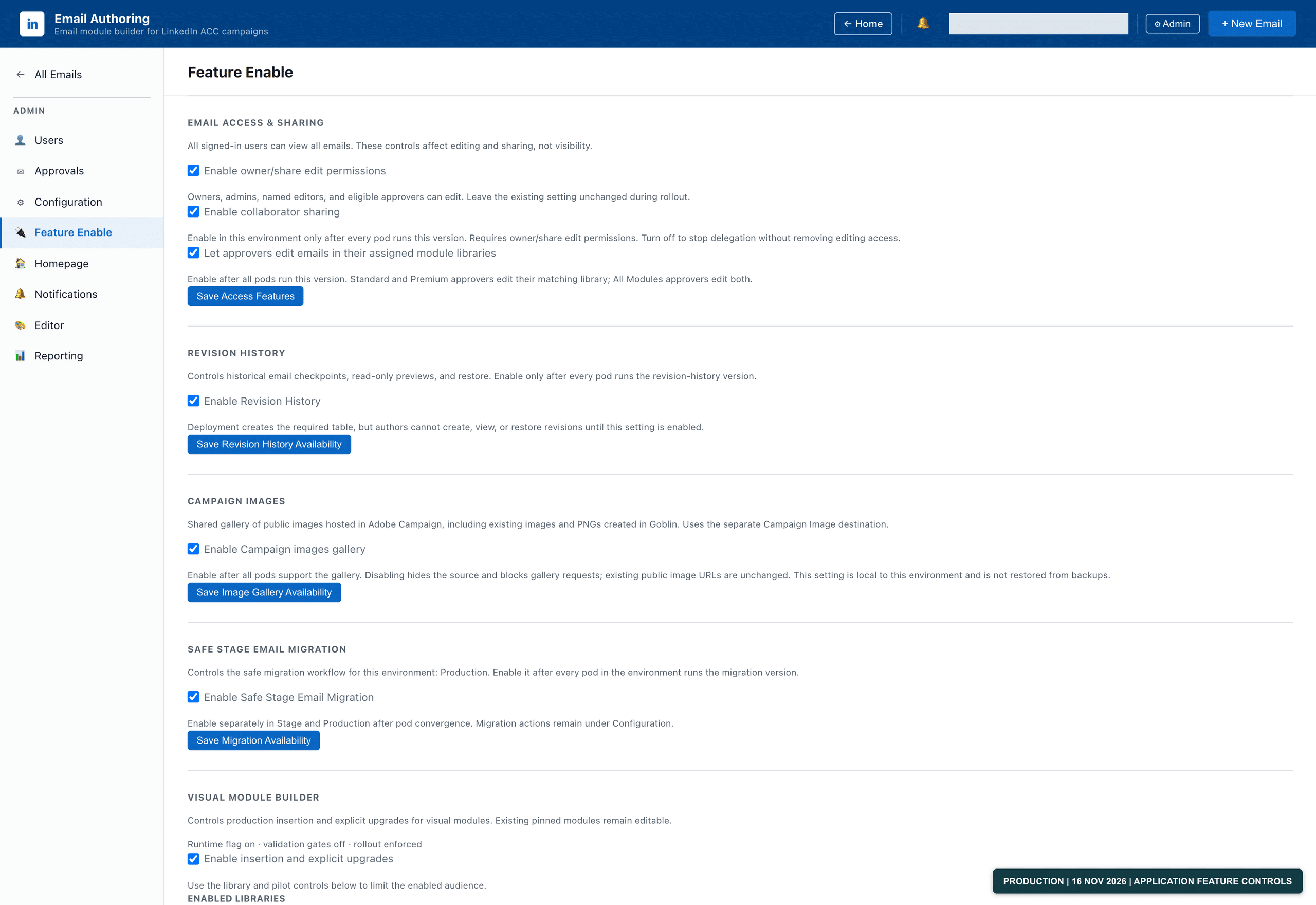
Feature Enable controls separate selected feature activation from deployment. These are actual application settings, not Kubernetes cluster status.
Six Months of Use and Continued Development
The last six months have included both email production and continued development: administration and reporting, collaboration, visual-module tooling, a design workspace, revision history, sharing, and saved campaign workflows.
That work sits alongside the less visible changes: fixing reporting behavior, keeping authoring and exported output consistent, and adding regression coverage.
With almost 300 users on the platform, the questions get specific. Can this person access the right library? Does the saved email reopen correctly? Is the reporting showing the right information? Can I release an update without changing what an existing project means?
Those are product and engineering questions, and they come directly from having something people use.
Where AI Fits
In the March post, I described building the original workflow generator in conversation with Claude. AI-assisted development has been part of this project, but the useful part is what it lets us build for the people doing the work.
The domain knowledge still matters. You need to understand the campaign structure, the email requirements, the permissions, and the output you’re asking the system to produce. You also need to know how our internal hosting and deployment processes work: how the application runs in our infrastructure, how configuration and secret keys are managed, how changes move from staging into production, and what happens during a Kubernetes rolling update. That’s as much a part of building the platform as the email functionality itself.
AI can help write the code. It doesn’t replace knowing how to deploy and operate it, or how to release an update while people are using the application. You still need to inspect the output and own what goes into production.
ETG started with a repetitive Adobe Campaign task I wanted to eliminate. Today, teams are creating emails in a platform we’ve built around their production needs.
That’s where I want AI-assisted development to take us: less repetitive production work, and better tools for the people responsible for getting the emails out.